Level of detail and custom LOD models (lod.cfg)
OBND can draw distant trains and scenery with less detail, so the game runs faster on weaker computers. This guide explains the Level of Detail presets, what changes as trains move away, and how train authors can add their own lower-detail models with a lod.cfg file.
OBND can draw distant trains and scenery with less detail. This makes the game run faster on weaker computers. This page covers:
- what the Level of Detail option does;
- how a train author can supply their own lower-detail models for each car, in a
lod.cfgfile in the train folder.
The option
The option is under Options > Quality > Level of detail. It is saved in options.cfg as levelOfDetail = off|balanced|performance|lowend in the [quality] section.
- Off (the default) draws everything at full detail, exactly as before the option existed. None of the level-of-detail code runs, and
lod.cfgis not read. - The other presets take effect the next time the game starts.
| Balanced | Performance | Low-end | |
|---|---|---|---|
| Always full detail nearer than | 60 m | 40 m | 30 m |
| Tier 1 from | 120 m | 70 m | 45 m |
| Tier 2 from | 300 m | 160 m | 100 m |
| Stand-in (tier 3) from | 700 m | 350 m | 200 m |
| Small part (tier 1): longest edge under | 0.5 m | 0.8 m | 1.0 m |
| Small part (tier 2): longest edge under | 1.0 m | 1.2 m | 1.2 m |
lod.cfg distance scale |
x1.0 | x0.6 | x0.4 |
| Fade time | 0.35 s | 0.30 s | 0.25 s |
| Scenery hidden below (on-screen radius) | 1 px | 2 px | 3 px |
| Scenery never hidden nearer than | 300 m | 200 m | 150 m |
| Draw distance cap | none | 1000 m | 700 m |
| Far texture mip bias | none | +0.5 | +1.0 |
| Texture size cap | none | none | 2048 px |
What each tier does to a car:
- Tier 1
- The interior and the small parts are not drawn. A dark box in the interior's colour is drawn behind the windows, so the windows do not show the sky.
- The car's animations update 15 times a second, measured in real time.
- Tier 2
- Couplers, gangways and the next-smallest parts are not drawn either.
- Animations update twice a second.
- Tier 3
- The car is replaced by a generated stand-in: a box in the car's own colours, with darker window bands and a dark underframe. If
lod.cfggives a model for this distance, that model is used instead. - The car's lights stay on.
- Its animations stop. They catch up at once when the car comes closer again.
- The car is replaced by a generated stand-in: a box in the car's own colours, with darker window bands and a dark underframe. If
The rules that apply to every car:
- Each change is a short dithered fade, not a sudden pop.
- A car only changes tier at most once every half second.
- A car goes back to a lower tier only once it is about 10% closer than the distance where it changed. This stops it flickering at a boundary.
- Zooming the camera in brings detail back sooner, as if the car were nearer.
- The car you are in (the cab, a head-out view, or the car you are standing in) is always drawn at full detail.
- Remote players' trains, AI trains and TFOs follow the same rules as any other train.
Scenery (the route's static objects):
- Static objects that would be only a pixel or so wide are faded out. Objects nearer than the "never hidden" distance always stay.
- Lamps, glowing and additive objects, signals and anything animated are never hidden this way.
- The draw distance cap only takes effect on routes that draw further than the cap. The route's fog is pulled in to the cap, and with no fog, objects near the cap dissolve.
- The mip bias makes far textures use their smaller mip levels. This saves memory bandwidth, not VRAM.
- Low-end uploads any texture larger than 2048 px box-halved until it fits, which saves video memory (a 4096 px texture takes a quarter). This applies to every texture, near or far, as a game's texture quality setting does; the texture keeps its own size for everything laid out by it, such as panels.
How the game sorts a car's parts:
- It hides only parts it has positively identified as one of these:
- interior: in a folder named
int,interior,inside,seats,poles,3dcab,cabinorsaloon; a file whose own name containsinteriororinside(such asR142 A Interior.b3d); or a part lying wholly inside the body, at least 0.25 m in from its sides, roof and ends, and not glass; - coupler or gangway: in a folder named
coupler,couplers,gangwayorgangways; - small part: in a folder named
carnumbers,numbersordoorindicators, or a part whose longest edge is under the preset's size.
- interior: in a folder named
- Everything else stays until the stand-in replaces the car. That includes body panels, doors and bogie frames.
- A lamp is a part at least half of whose faces are emissive, glowing or additive. A lamp outside the body is kept with the stand-in. A lamp inside the body, such as saloon lights or displays, goes with the interior. A body or interior with a few lit faces is not a lamp.
- The dark box behind the windows is drawn 0.3 m inside the interior's parts, so it never shows through the sides or the doors.
- To see what the game made of each part, start it with
OBND_LOD_DUMP=<file>: every car's parts, their boxes and their classes are written to that file.
Single-object cars: a car whose exterior is one .csv, .b3d, .x or .obj file has nothing that can be left out on its own. Tiers 1 and 2 cannot change it, so only the stand-in (or a lod.cfg model) helps. Cars built as .animated files from many parts benefit from every tier.
lod.cfg
Put lod.cfg in the train folder, next to train.dat, extensions.cfg or train.xml.
- The file is plain text. UTF-8 and other byte-order marks are honoured; without one, Windows-1252 is assumed.
;starts a comment, except inside double quotes.- Keys and section names are not case-sensitive.
- Paths are relative to the train folder.
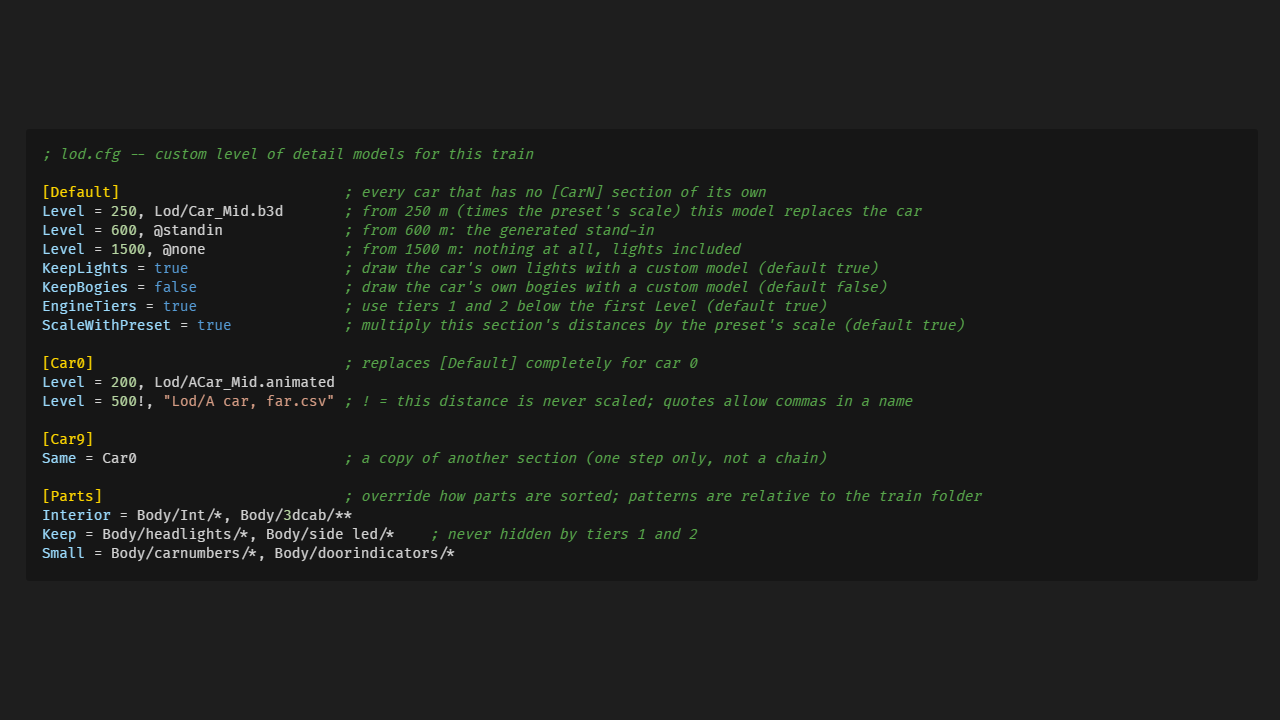
; lod.cfg -- custom level of detail models for this train

[Default]                          ; every car that has no [CarN] section of its own
Level = 250, Lod/Car_Mid.b3d       ; from 250 m (times the preset's scale) this model replaces the car
Level = 600, @standin              ; from 600 m: the generated stand-in
Level = 1500, @none                ; from 1500 m: nothing at all, lights included
KeepLights = true                  ; draw the car's own lights with a custom model (default true)
KeepBogies = false                 ; draw the car's own bogies with a custom model (default false)
EngineTiers = true                 ; use tiers 1 and 2 below the first Level (default true)
ScaleWithPreset = true             ; multiply this section's distances by the preset's scale (default true)

[Car0]                             ; replaces [Default] completely for car 0
Level = 200, Lod/ACar_Mid.animated
Level = 500!, "Lod/A car, far.csv" ; ! = this distance is never scaled; quotes allow commas in a name

[Car9]
Same = Car0                        ; a copy of another section (one step only, not a chain)

[Parts]                            ; override how parts are sorted; patterns are relative to the train folder
Interior = Body/Int/*, Body/3dcab/**
Keep = Body/headlights/*, Body/side led/*    ; never hidden by tiers 1 and 2
Small = Body/carnumbers/*, Body/doorindicators/*
Levels
Level = <distance>[!] [,] <object | "object" | @standin | @none>
- Distance. In metres from the camera to the car's centre. The distance is multiplied by the preset's scale (x1.0, x0.6 or x0.4), unless it ends in
!or the section setsScaleWithPreset = false.- Levels are used in order of distance.
- If two levels share a distance, the later one counts.
- The same hysteresis, dwell time and crossfade apply as for the built-in tiers.
- Range. From its distance until the next level's, a level's model replaces the car's exterior, coupler and bogies. Bogies stay if
KeepBogies = true. The car's lights stay unlessKeepLights = false. - Models. Any object format the game loads:
.b3d,.csv,.x,.obj,.animatedor.l3dobj.- MSTS shapes (
.s) cannot be used as a level: such a level is warned about and drawn as the generated stand-in. A car whose own exterior is an MSTS shape ignores its levels and is always drawn in full. - Build the model in the same car-local space as the car's exterior: same origin, same axes, same scale.
- An
.animatedmodel runs its functions like the exterior does. They update less often at a distance and stop altogether at the stand-in's distance.
- MSTS shapes (
@standindraws the generated box.@nonedraws nothing. The@keeps these words from being mistaken for file names.- Before the first level the car is drawn in full detail, using tiers 1 and 2 unless
EngineTiers = false.
Which car a section means
[CarN]refers to the car's index in its own train folder: car 0 is the first car intrain.dat,extensions.cfgortrain.xml.- A car keeps this index and its own folder's
lod.cfgwhen trains are uncoupled, coupled or mixed. In a mixed consist, each car follows thelod.cfgof the train it came from. - A
[CarN]with an index past the end of the consist is ignored.
Reversed cars
- A car marked
Reversed = trueinextensions.cfgortrain.xmlhas itslod.cfgmodels turned round in the same way as its exterior. - A car turned round in play, by uncoupling and coupling the other way, has its models turned with it.
- The generated stand-in is rebuilt for the reversed car.
When something is wrong
The game always falls back to something sensible and says so in the message log:
- A model that is missing or cannot be loaded: that level shows the generated stand-in instead.
- A distance that is not a number, or is negative: the line is ignored.
- An unknown key or section, or a
Same =that points at nothing: ignored. - No
lod.cfgat all: tiers 1 and 2, then the generated stand-in.
Checking your work
- Start the game with the environment variable
OBND_LOD_DEBUG=1. Each car is tinted by its tier: green for tier 1, yellow for tier 2, red for the stand-in or a custom model. OBND_LOD=balanced|performance|lowendoverrides the option for one run. This is useful for comparing presets.OBND_TEST_LOD_SCALE=<factor>multiplies every distance. For example,0.2lets you see all the levels within a short stretch of track.